Understand your payout statement
A payout statement is the document behind one bank transfer. It reconciles the amount your bank received against the orders it came from, so your bookkeeping can tie the two together.
If your accounting system is supported, each month also has import files with the month’s invoices. See Choose your accounting system.
Get the statement
Statements exist once a payout is Paid out.
In Wallet → Payout overview:
- Select the row, or select View statement, to read it in the app.
- Open the download menu on the row for Payout Statement (PDF) and Payout Statement (CSV).
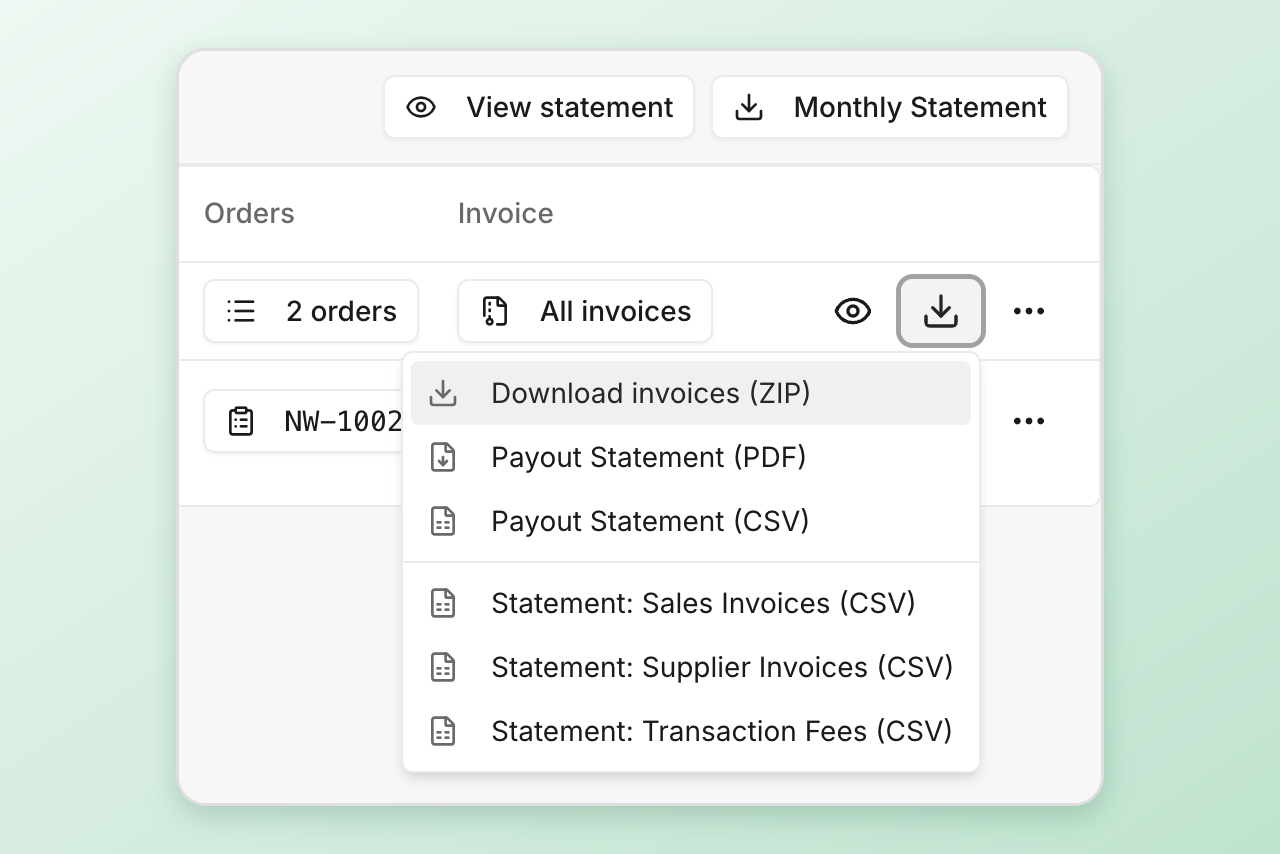
Each statement is also emailed to your billing email when the payout books. To send it again, open the row’s overflow menu and select Resend statement to billing email. Set the address under Settings → Company.
What is on it
| Section | What it tells you |
|---|---|
| Header | Payment Reference, Payout Date and Total Payout |
| From and To | The paying organisation and you, with registration and VAT numbers, and the Bank Account the money went to |
| Order Breakdown | One block per order |
Each order block shows:
| Field | Meaning |
|---|---|
| Order | The order it came from, with the address and installation date |
| Customer Paid | What the customer paid on that order |
| Fee | The transaction fee deducted |
| Installer Share | What went to the installer |
| Net Payout | What is left for you, which is the part that reaches your bank |
| VAT | The VAT rate on each invoice line |
Customer Paid, Fee and Installer Share appear only for orders you own. A statement covering only your share of someone else’s orders shows Net Payout alone, because the rest is the order owner’s side of the deal. A statement carrying both kinds shows them in separate groups with their own subtotals.
Invoice numbers appear against each amount, so a statement line can be traced to the invoice it settles. A chargeback has no invoice: it appears as its own Chargeback row with a negative amount, and a won dispute as Chargeback reversed. See Refunds and chargebacks.
The order of those figures is the order the payment is split in. Customer Paid less Fee less Installer Share leaves Net Payout, which is your part.
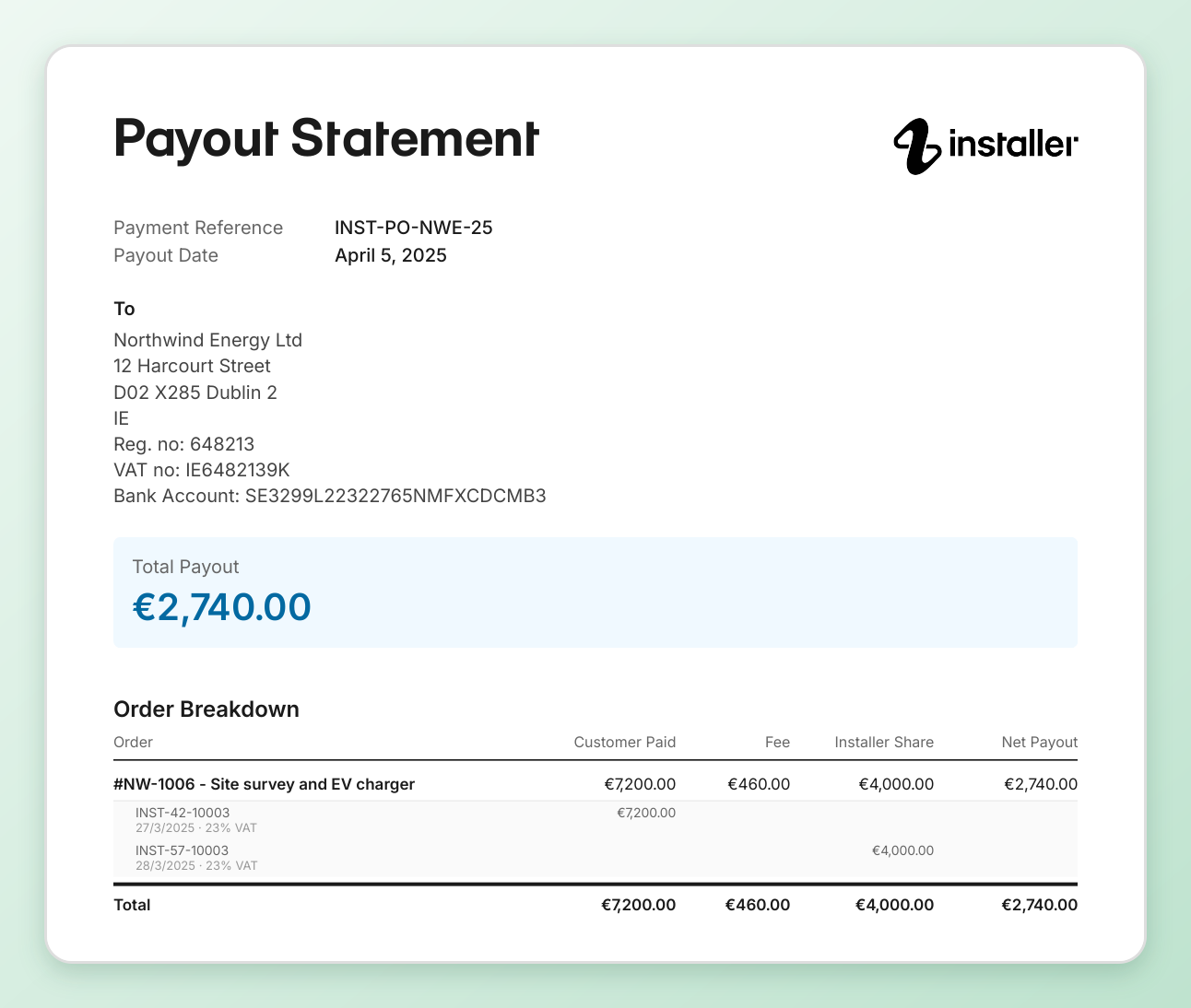
The reference on the statement is the reference on your bank statement, which is how you match the two.
Work paid for but not yet paid out
A statement covers money that has left. At period end you also need what has not. Wallet → Offers gives you that, filtered to Paid with a payout status of Pending approval or Pending payout. See Export payment data to a spreadsheet.
Monthly statements
The month’s header in the payout overview offers the same documents for every payout the bank booked in that month:
- View statement to read it
- Monthly Payout Statement (PDF) and Monthly Payout Statement (CSV)
- Monthly invoices (ZIP) for every invoice dated in the month, once the month has ended. This one goes by invoice date, not payout date
- Transaction Fee Invoice (PDF) and (CSV), when the month carries fees
A payout the bank has not booked yet is in no month, so it appears under Pending rather than in a month. A refused payout stays there until it goes through. A returned payout stays in its month, marked Failed, and holds back that month’s documents until it goes through. See Read the payout overview.
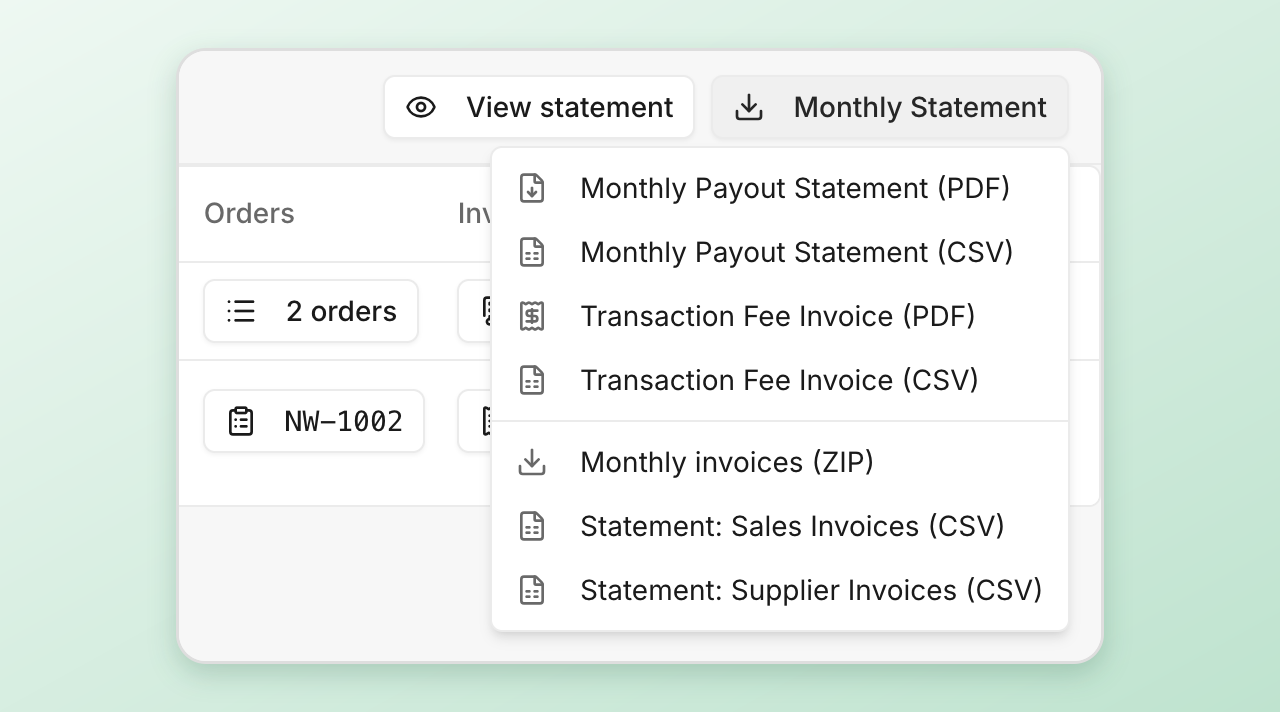
The monthly statement is the per-payout statements combined, in the order the bank booked them, with the payouts it covers listed in the header.
If the numbers do not add up
A payout total is the sum of the Net Payout figures on the statement, not of what customers paid. Fees and installer shares come off first. If a figure still looks wrong, open the CSV. It carries the same data, one row per invoice line, which is the fastest way to find the line responsible. See Export payment data to a spreadsheet.
Was this helpful?