Payouts across partners
When you dispatch work to a partner organisation rather than your own installers, the money has to reach them too. That needs them to be set up for payouts, and it needs you to decide who the payout for an order belongs to.
Who does this. The organisation dispatching the work. The partner only has to finish their own payout setup.
Make sure that a partner can be paid
A partner’s card shows their payout state, on the partnership and in the Select installer list of an order that pays installers directly. A partner who already works with another Installer.com merchant is often set up already. Payout setup is done once per organisation, not once per partnership.
| Badge | Meaning |
|---|---|
| Payouts enabled | Ready to receive payouts from platform payments. |
| Payout onboarding needed | They have not completed payout onboarding. Assist them with it. |
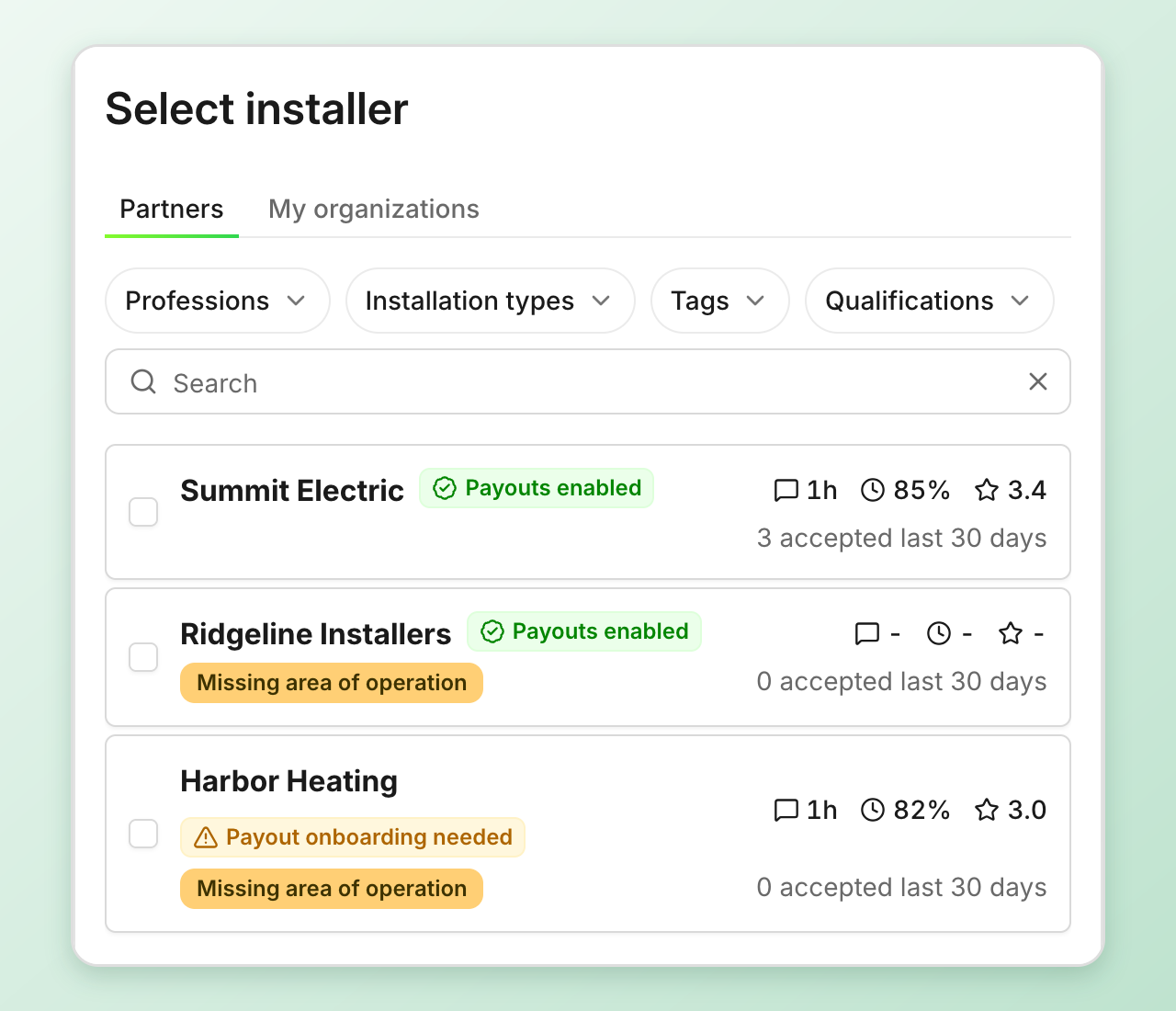
A partner who cannot receive payouts cannot accept an order that pays them directly. They see the setup screen instead of the accept button, so the order stalls at dispatching until they finish.
If a partner is stuck, point them at Set up payouts. It is their own company details and their own signatory, so you cannot complete it for them.
Who receives the payout
Normally you do not decide this per order. The customer’s payment is split between the transaction fee, the installer and you, and each party is paid their part. Whether the installer’s part reaches them through the platform is the Installer payouts setting. See Payout settings.
There is one unusual arrangement. If you are the installer on an order that pays you, and you forward it to another organisation, you can hand them the whole payout rather than taking your part. The setting is Forward payouts to the target organisation, in the Forward order dialog, where the target is whoever you forward to. Most organisations never use this. Reach for it only when the commercial arrangement for one order is genuinely not your usual one.
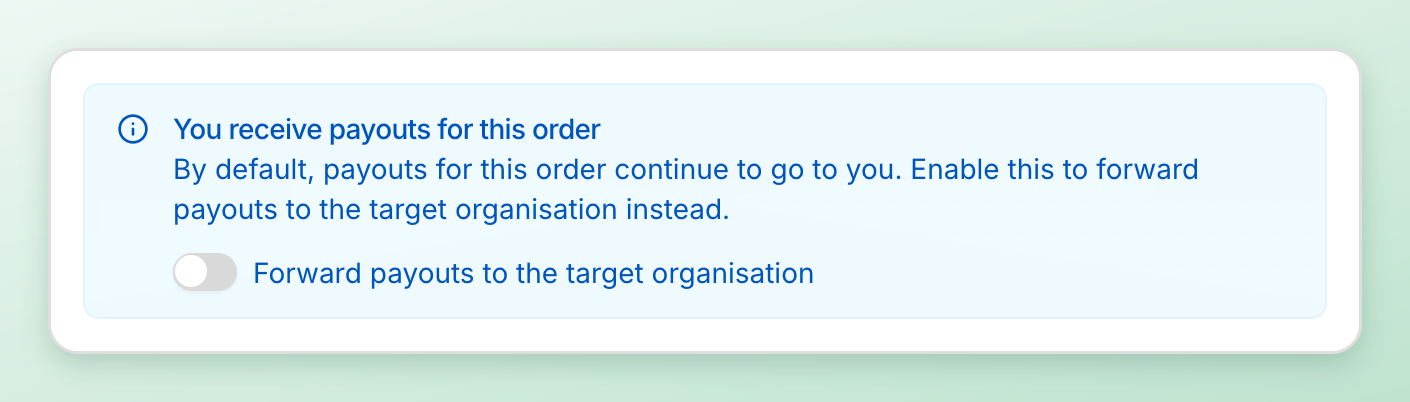
| Setting | Result |
|---|---|
| Off (default) | The payment splits as usual, and you take your part |
| On | The whole payout goes to the organisation you forward to |
Splits within an order
Where an order pays several parties, each party’s share is its own line on the payout statement, and each gets its own share invoice. The statement shows Installer Share against the order, and the recipient’s own statement shows what they received.
See Understand your payout statement and Download invoices and credit notes.
When you pay installers directly
The Installer payouts setting decides whether shares leave the platform on their own. With Keep all paid funds, everything is paid to you regardless of how the order was split, and the split is bookkeeping only. See Payout settings.
Was this helpful?