Download invoices and credit notes
Installer.com issues the invoices behind the money it moves. There are two kinds, and you get them as PDFs.
| Kind | Who invoices whom |
|---|---|
| Customer Invoices | Your organisation invoices the customer for what they paid |
| Share Invoices | One organisation invoices another for its share of an order |
An invoice is generated when the order’s payout is approved. Before that, the invoice section says the invoice will be generated when payout is approved.
Customer invoices are emailed on their own, with the PDF attached, and marked as already paid so nobody pays them twice. The customer also had a Payment Confirmation email at the moment they paid, which tells them the invoice follows on completion.
Invoice numbers
Installer.com keeps a numbering sequence for your organisation and takes every
number from it in order. Numbers look like INST-42-10001: the INST- prefix,
your organisation’s id, then the number. It starts at 10000 and goes up by one.
Credit notes take their numbers from the same sequence, so it stays unbroken.
This is a separate sequence from the one in your own system. The INST-
prefix is what tells them apart. Register it with your bookkeeping as its own series. Do not issue invoices from it yourself. Two systems drawing on one
series is how you end up with a duplicate or a gap.
Share invoices are issued on your behalf, from what the offer says. The offer is where the invoice is built. Pricing the work, adding lines later and crediting lines off all change what the invoice will carry.
When the payout is triggered, Installer.com issues the document automatically. It carries your organisation’s name, a number from your Installer.com invoice sequence, and the party paying you. It decides nothing of its own. It shows the figures the offer already holds, at the rates agreed between the two of you.
Do not send your own invoice for the same work. That would bill it twice.
From a payout
In Wallet → Payout overview, the Invoice column carries the invoice behind each payout:
- One invoice: select the invoice number to open it. This is the number that lines up with the order beside it for bookkeeping.
- Several invoices: select All invoices for a ZIP. A cell cannot list a hundred numbers, so they come as a file.
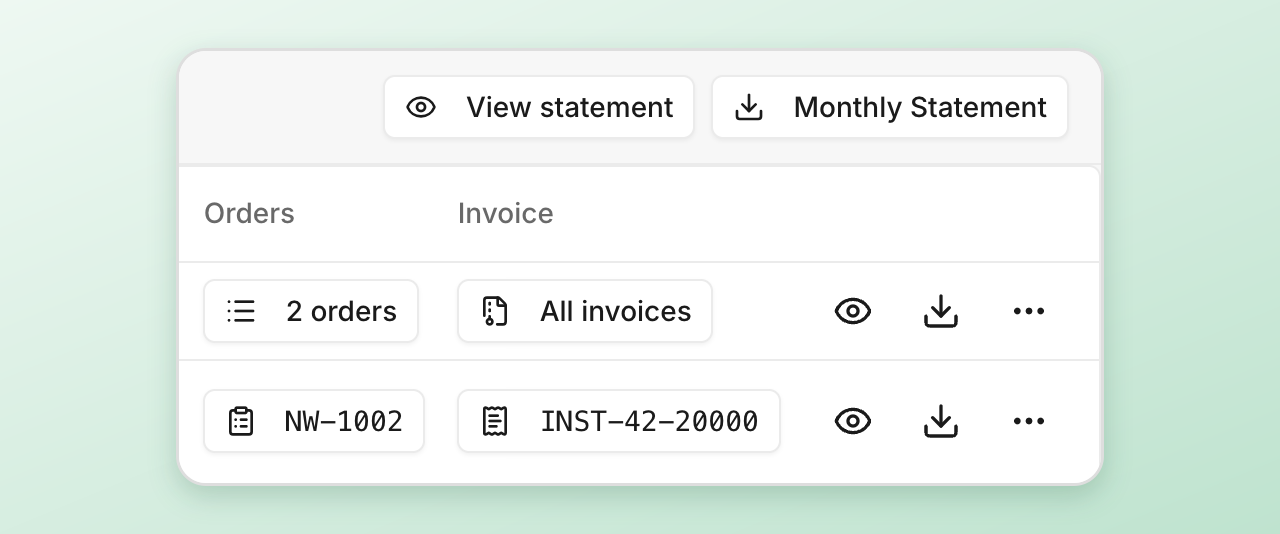
The row’s download menu also has Download invoices (ZIP).
For a whole month
The month’s header offers Monthly invoices (ZIP) under Monthly Statement once the month has ended. That is every invoice and credit note dated in the month, in your organisation’s time zone: the invoices you issued and the share invoices you received. It is what an accountant usually wants.
The ZIP goes by invoice date, not payout date. An invoice dated in one month and paid out in the next is in the ZIP of the month it is dated in.
A month with no payout has no header in the payout overview. Its invoices are in Download invoices (ZIP) on the payout that paid them.
Until October 2026, the ZIP held the invoices of the payouts in the month. An
invoice dated before October 2026 and paid out in October 2026 or later is not
in a ZIP you saved before then, and not in the new ZIP of the month it was paid
out. This is usually an invoice from late September. Find such invoices on your
statements from October 2026 by their InvoiceDate. The simplified CSV format
has no InvoiceDate; the date is on each PDF in Download invoices (ZIP) on
the payout. Download the ZIP of each month they are dated in again, and book
only the invoice numbers you have not booked yet. Book each INST- invoice
number once.
From an order
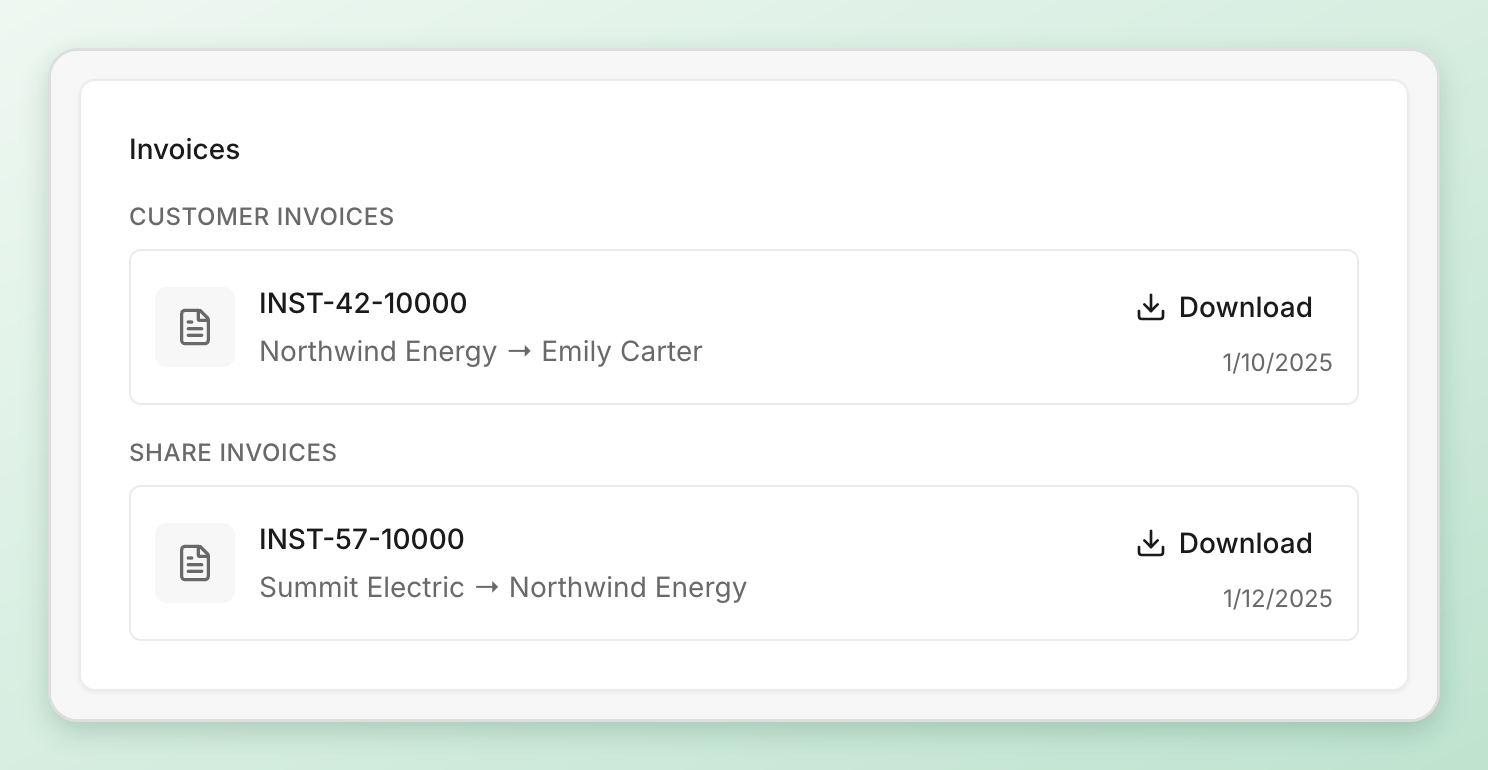
Open Wallet → Offers and select the order. Its Invoices section lists Customer Invoices and Share Invoices separately, each with a Download.
The same list appears on the order’s Payout step once the step is done.
Credit notes
A credit note is an invoice marked Credit Note, and it appears in the same lists. Installer.com issues one when you credit a line on an order that is already invoiced. It is attached to the refund confirmation that the customer receives.
If you credit a line before the order has been invoiced, there is no credit note. The credit appears on the original invoice instead.
Where the credit also takes back an installer’s share, a second credit note is raised against the share invoice. So taking money back leaves a document on both sides, not just a smaller payout.
Transaction fee invoices
Fees are invoiced monthly, not per order. When a month carries fees, its header offers Transaction Fee Invoice (PDF) and (CSV) under Monthly Statement.
Was this helpful?