Assign a workflow step to the Operator
The Operator is the organization that owns the order and routes it. Assign a step to the Operator when your organization is responsible for completing it, rather than the installer company or the client.
Operator and Client are on every workflow by default and cannot be deleted. You select the Operator on a step, you never add it.
Assign the Operator to a step
- Select Workflows in the sidebar to list your organization’s workflows.
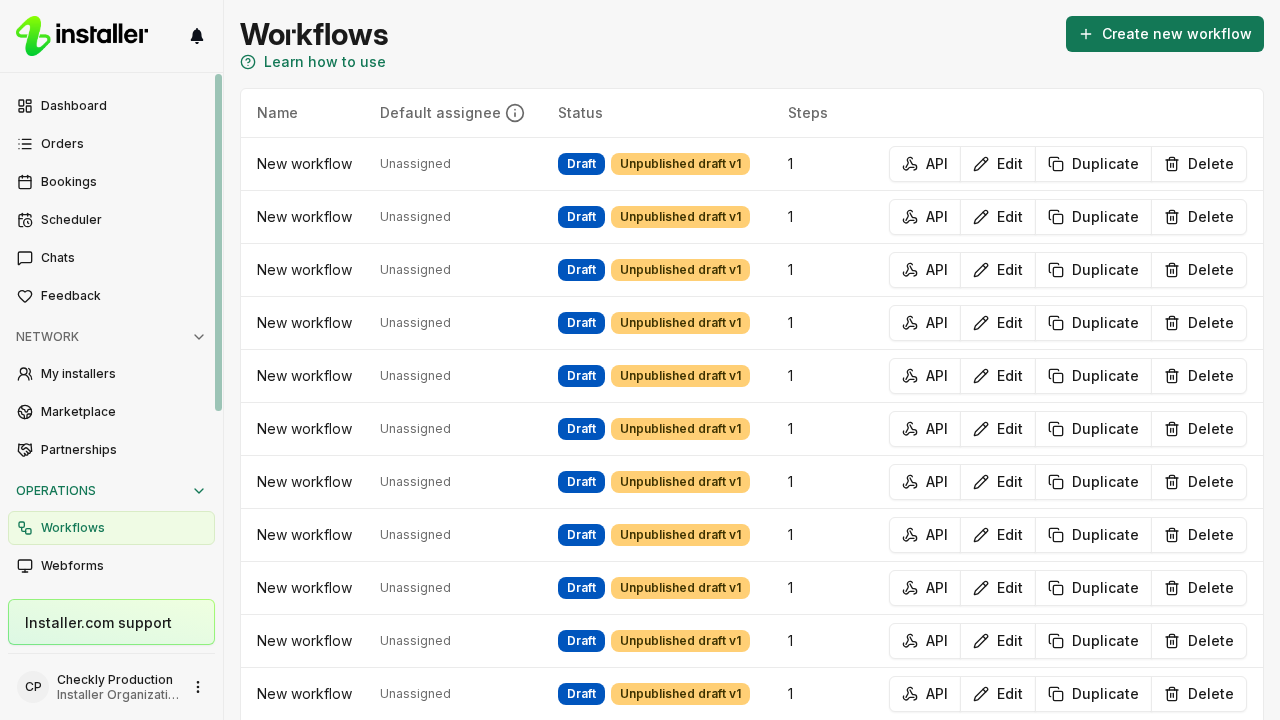
- Select Edit on the workflow you want to change. A published version is read-only: select Start editing or Go to draft if the banner asks you to.
- Select the step in the list on the left. Step settings opens on the right.
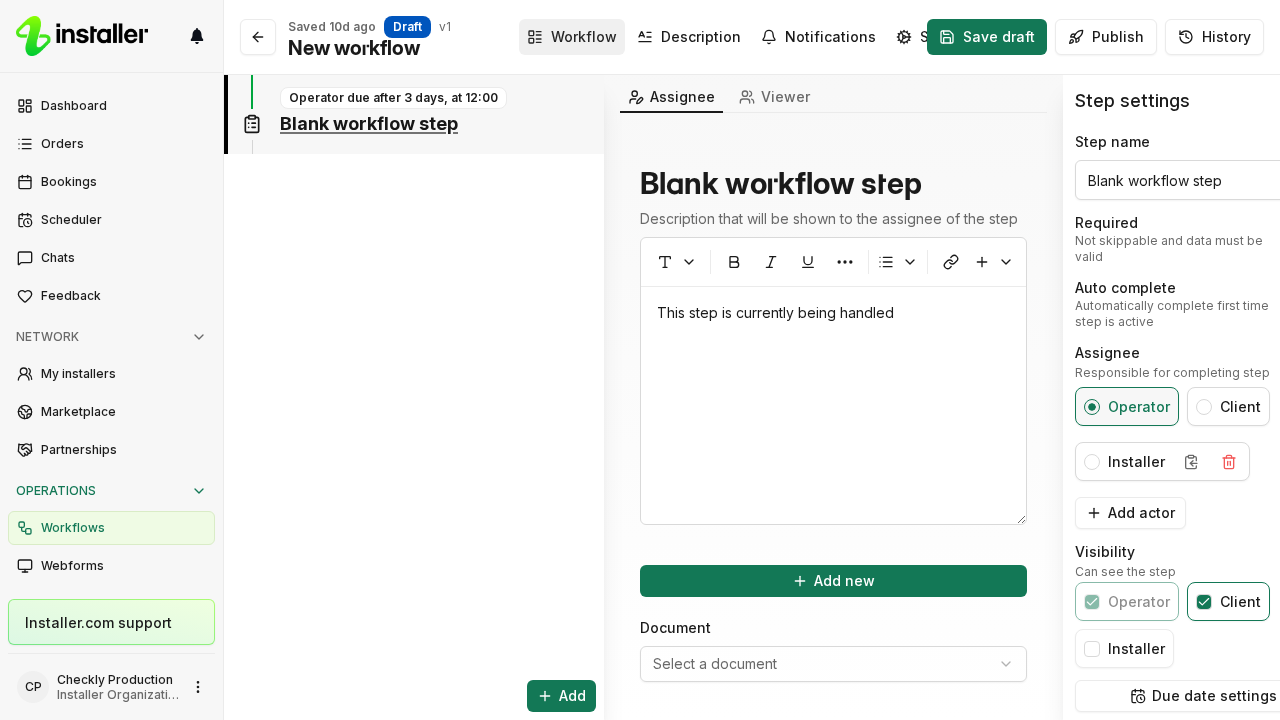
- Under Assignee, select Operator.
- Select Save draft to keep working on the draft. Select Publish when the draft is ready, which makes the version live for new orders.
The assignee is always included in Visibility and you cannot clear it, so the Operator can see the step as well as complete it. Rating steps and dispatch confirmation steps have a fixed assignee you cannot change. See Configure workflow step settings.
Do not add the Operator as a new actor
Add actor creates an additional participant on the workflow, such as an installer company. Use it for a party the workflow does not have yet, not for the Operator.
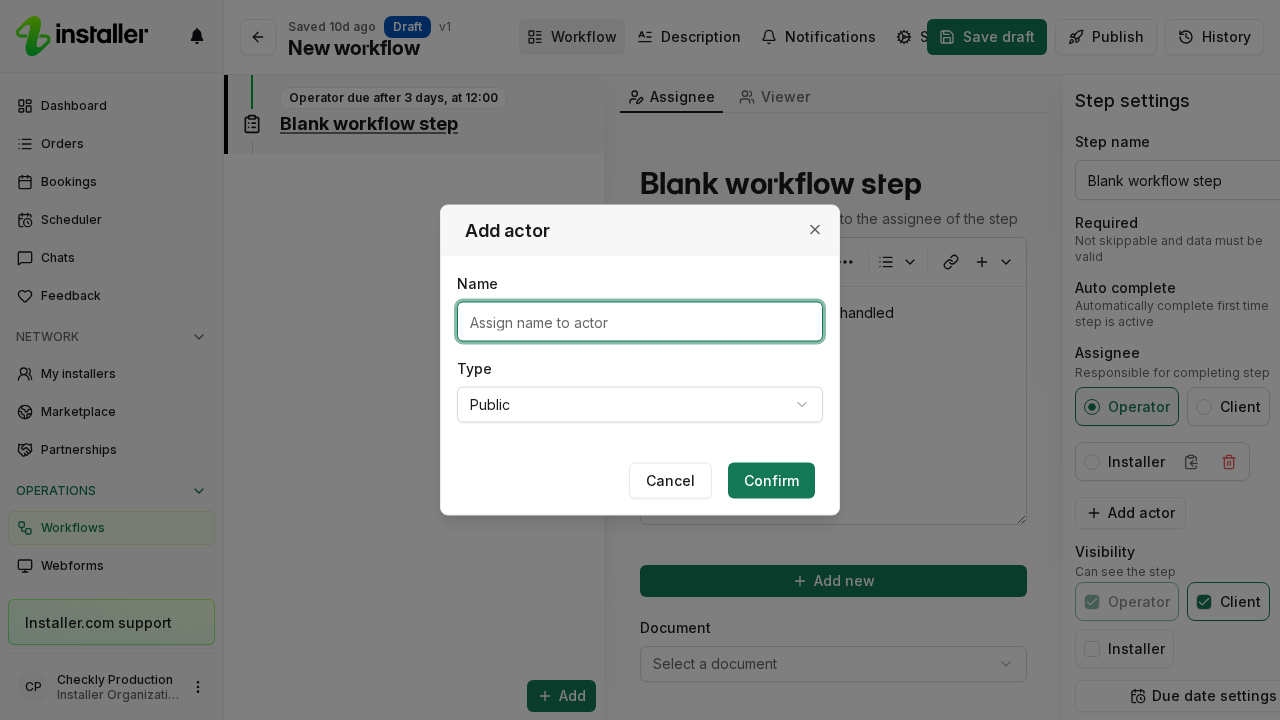
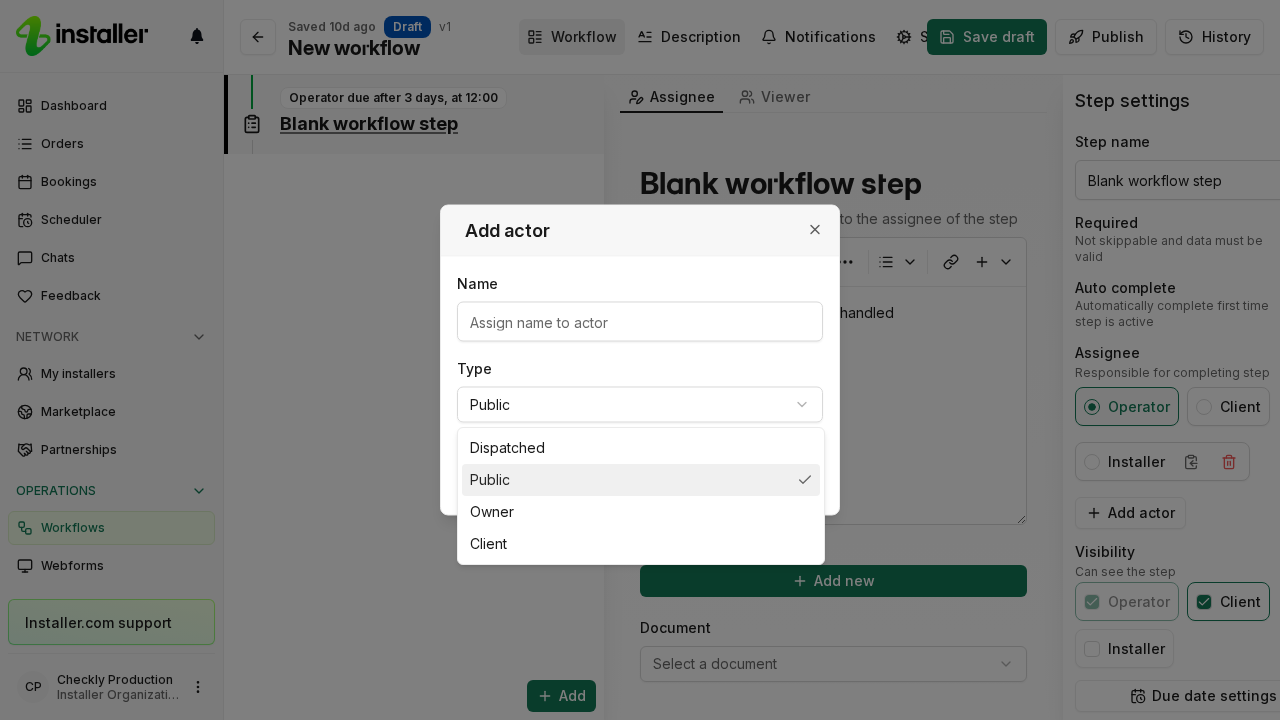
The Type list names the participant types differently from the rest of the editor: Dispatched, Public, Owner and Client. Owner here is the Operator, which the workflow already has, so selecting it adds a second Operator instead of assigning the existing one.
What happens when the step is forwarded
Forwarding hands an order, or individual steps of it, to another organization. See Forward an order for how to do it and who you can forward to.
Three things behave differently from what the step’s assignee suggests once a step has been forwarded:
- A Perform booking step resolves its performer from the actor on the workflow template, not from the step’s current assignee. Forwarding the step does not move who performs the booking.
- A forwarded dispatch step offers the work to the installer network of the organization that forwarded it, not to the Operator’s network.
- A forwarded step can be reassigned between the two forward partners in both directions: back to the organization that forwarded it to you, and on to the organization you forwarded it to.
Related articles
Need help? Contact Installer.com support.
Was this helpful?