Create a new organization
Create an organization to add one under your own, so you can split orders and settings across an organization hierarchy.
- Open Settings and select Organizations under Organization.
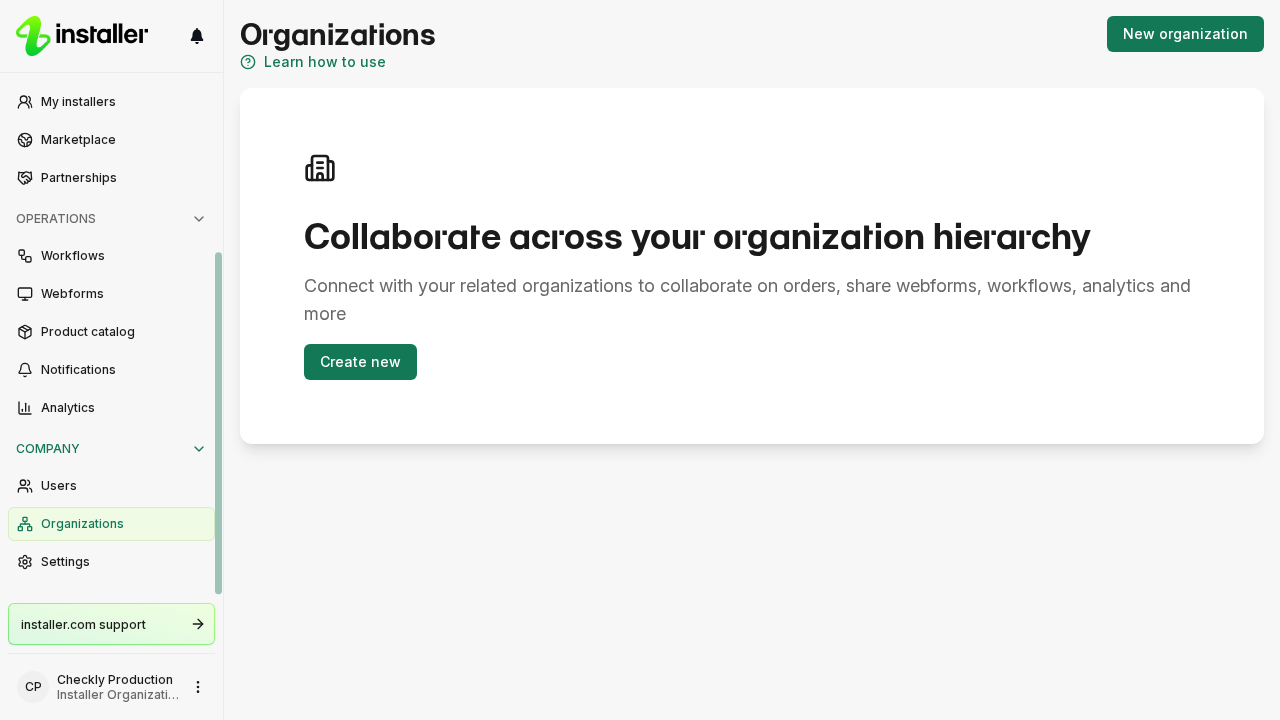
- Select New organization. If you have no organizations yet, select Create new on the card that explains organization hierarchy.
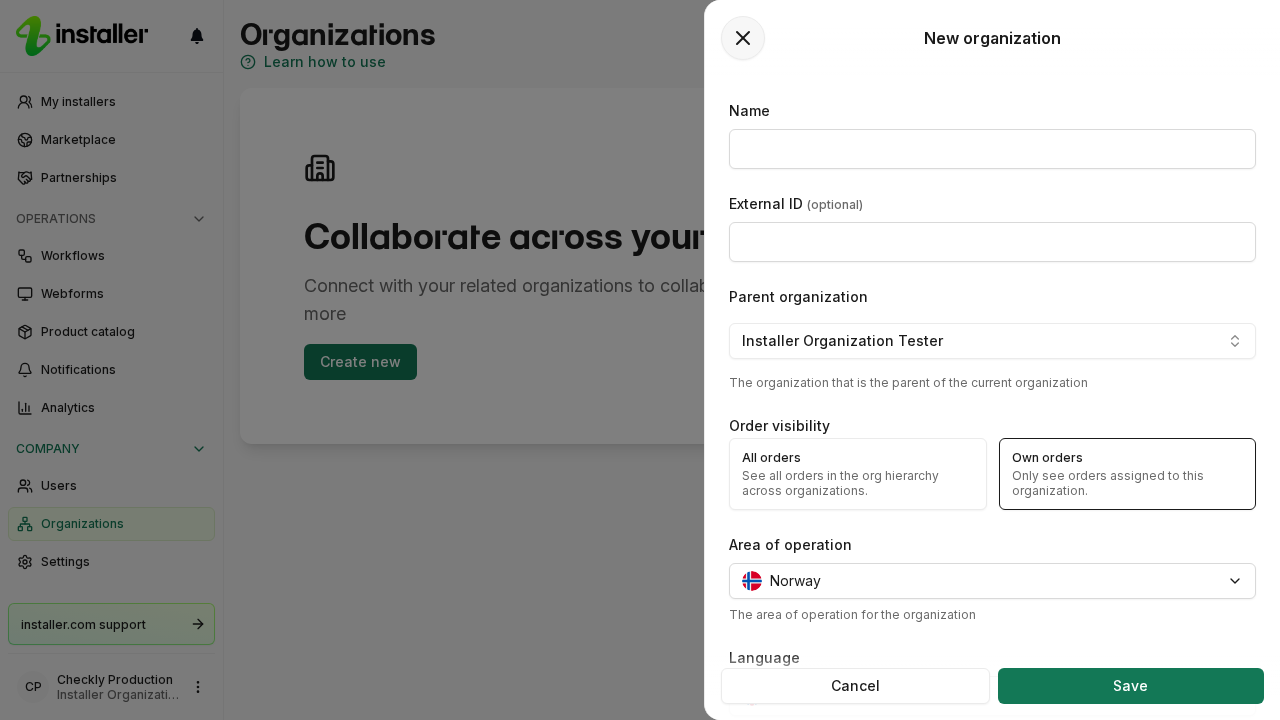
- Fill in the New organization form:
- Name. The name of the organization. At least three characters.
- External ID. Your own identifier for the organization. Optional.
- Parent organization. The organization this one sits under. It defaults to your organization.
- Order visibility. Pick All orders to see every order in the hierarchy, or Own orders to see only orders assigned to this organization.
- Area of operation. The country the organization operates in.
- Language. The language of the organization.
- Timezone. The timezone of the organization.
- Select Save.
The organization appears in the Organizations list, with a slug generated from its name. You are its owner and its first admin.
If Organizations is missing from Settings
Organizations shows only when your organization has the organization hierarchy feature and your role can read sub-organizations. Creating one needs write access to sub-organizations.
Need help? Contact Installer.com support.
Was this helpful?