Manage your organization profile
Your organization’s name, owner, legal details, address and language live on the Company settings page. Payment setup reads these fields, so keep them current.
Open your company profile
- Select Settings in the sidebar.
- Select Company under Organization.
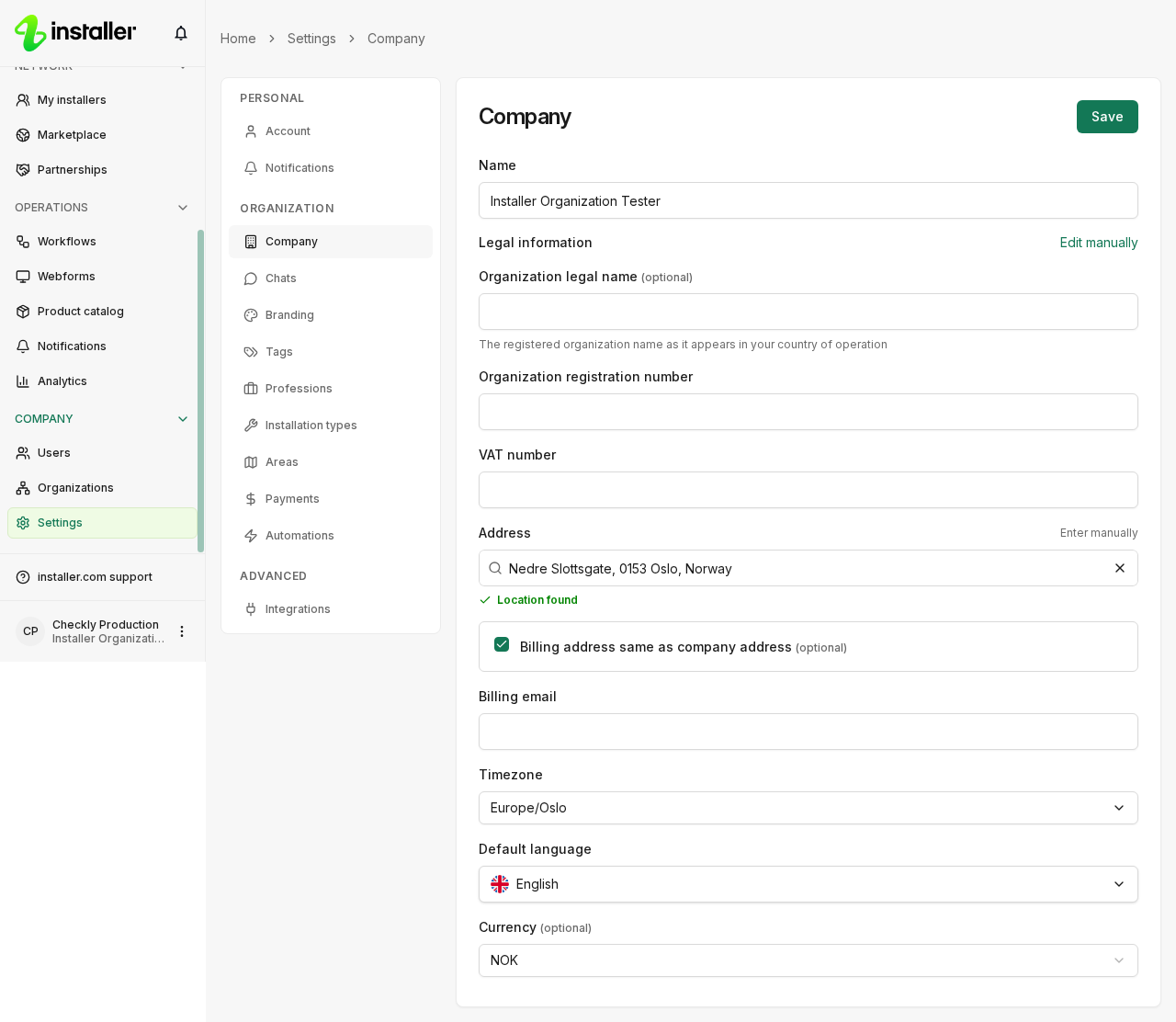
The Company section appears only if you can configure the organization.
Fields
- Name: your organization’s name.
- Owner: the person who owns the organization, chosen from the people in your organization. This field is required. It is locked unless you are the current owner or the organization has no owner yet.
- Legal information: Organization legal name, Organization registration number and VAT number. If your area of operation is Norway or the United Kingdom, type the legal name to search the business registry and select the company; all three fields fill in. Select Edit manually to type them yourself, or Search registry to go back to search. Everywhere else, fill in the three fields directly.
- Address: Address, Postal code, City and Country, plus Latitude and Longitude. State / province appears for addresses in the United States and Canada. Select Enter manually if the search does not find the address.
- Billing address same as company address: clear this checkbox to enter a separate Billing address, Billing postal code, Billing city and, for US and Canadian addresses, State / province.
- Billing email: the address that receives billing email.
- Default language: the language the organization uses.
- Currency: NOK, DKK, PLN, EUR, SEK, USD, GBP, AUD or NZD.
- Enable client feedback: asks clients to rate completed orders. This switch appears if your organization can create orders.
Select Save. A Changes saved message confirms the update.
What payment setup needs
Payment setup reads the company profile. Fill in Organization legal name, Organization registration number and Currency before you start it, and State / province if your legal entity is in the United States or Canada. If one of them is empty, payment setup tells you that the field is required on company settings.
Settings that are not on this page
| Setting | Where it lives |
|---|---|
| Timezone | Booking scheduling, under Organization |
| Partnership tags | Tags, under Organization |
| Enabled features for a sub-organization | Organizations, then the sub-organization |
Related articles
Need help? Contact Installer.com support.
Was this helpful?